ICC Tokyo 2025
by hanzo
Hello everyone, welcome to my first post on this blog. So, I’ve just arrived back in my home country after a very interesting event called International Cybersecurity Challenge 2025 that was held in Japan. I played as part of Team ASEAN there, and the challenges were quite fun and interesting. The animation was fantastic and I think it was the best CTF event that I’ve participated in during my entire life :D
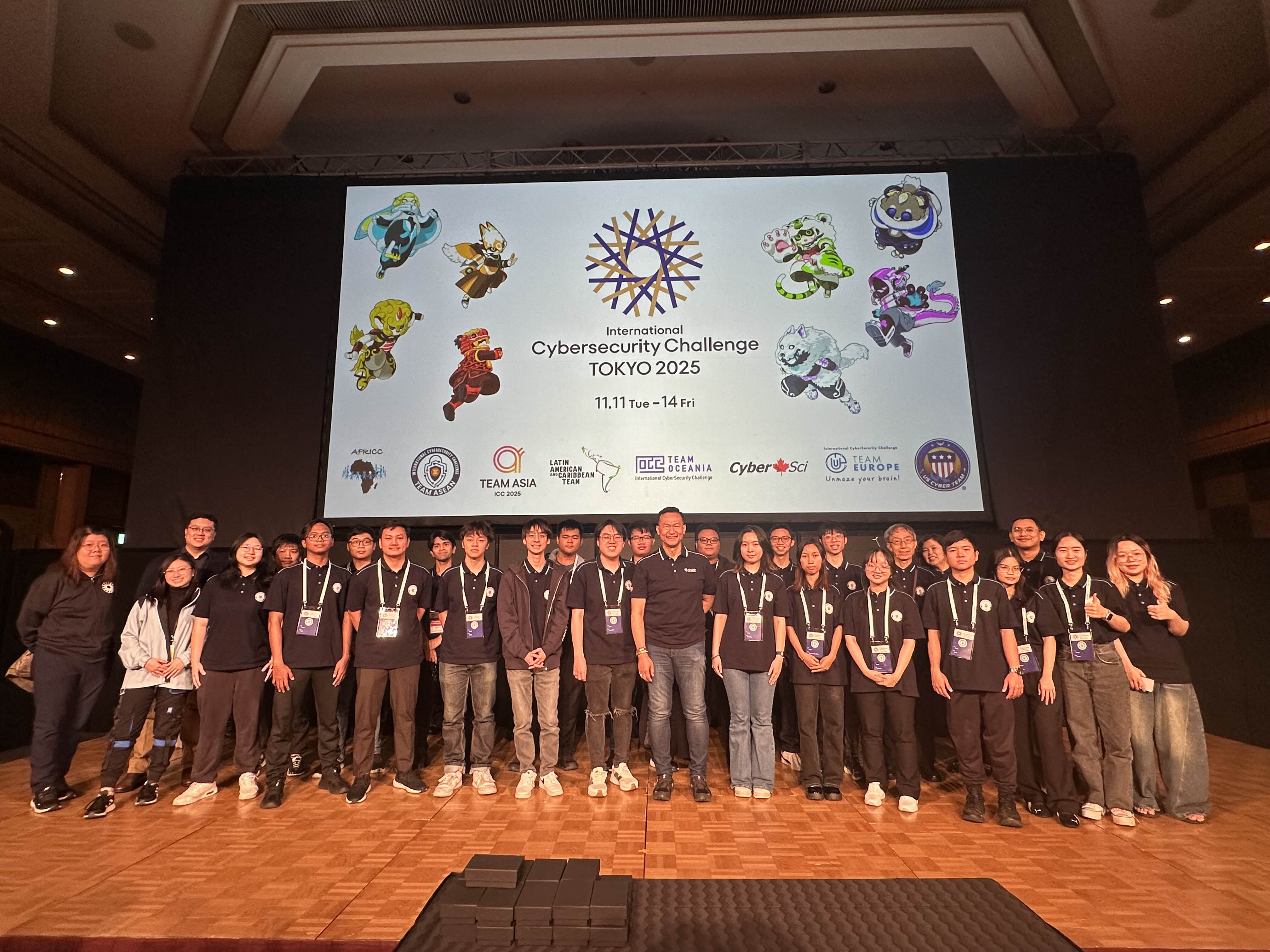
We managed to solve some of the reversing challenges (shoutout to clowncs), and I think it’s best to write the step-by-step solution to the challenges here.
Life Game Sidebar
- Category: Reverse / Forensics
- Files Provided:
lifegamesidebar.vsix,sus.pcapng
This challenge provides a VS Code extension (VSIX file) and a network capture. The goal is to analyze the extension’s behavior and decrypt the traffic captured in the PCAP.
By simply renaming the .vsix extension into .zip, we can reveal the full source code of the extension. But more importantly, it contains hidden telemetry functionality in extension/dist/extension.js.
The code includes an obfuscation helper function:
function be(s){
  let e = s;
  for (let t = 0; t < 5; t++) {
    e = e.split("").reverse().join("");
    e = Buffer.from(e, "base64").toString("utf-8");
  }
  return e;
}
This function performs 5 rounds of: reverse string → base64 decode.
Solution
Decoding the hard-coded strings reveals the extension’s true purpose:
be("YlVkdlVxo1RW5mUv1UbK9UTWRWV") → "sha512"

be("VRlRXV2R5c1VYZUYSdlTWN2RxM1UxA3VVpmUhFGbapXVtFDW") → "aes-256-cbc"

be("QVsp1cWZlRTJWVxInUrh2Vl5mTIR1V4dlVrRTeOVkVUNmeWZ1VrZ1SSxmSWFGRGFWTGZFWWpmTLJlRaZlTUJEa")
 → "ws://10.13.37.2:8080"
By deobfuscating the javascript code in the extension.js, we can get the general idea of how does this extension works:
- Connects to WebSocket server at
ws://10.13.37.2:8080 - Reads the clipboard contents every second
- Encrypts clipboard data using AES-256-CBC
- Sends the ciphertext as hex through WebSocket text frames
Encryption scheme:
- Key:
sha512(ping)[:32](first 32 bytes of SHA-512 hash) - IV:
sha512(ping)[32:48](bytes 32-48 of SHA-512 hash) - The “ping” payload is sent by the WebSocket server and serves as the session key material
PCAP Analysis
After analyzing the .vsix, now it’s time to get the flag. The sus.pcapng file captures the WebSocket session:
- HTTP upgrade to WebSocket (Host:
10.13.37.2:8080) - Server → Client ping frames (contain the session key material)
- Client → Server masked text frames (hex ciphertext of clipboard data)
To recover the flag, we can do this following steps:
Step 1: Parse the PCAPNG file and extract WebSocket frames
Step 2: Identify server ping frames to extract the key material
Step 3: Unmask client text frames (WebSocket client frames are masked on the wire)
Step 4: For each encrypted message:
- Derive AES key:
sha512(ping_payload)[:32] - Derive IV:
sha512(ping_payload)[32:48] - Decrypt the hex payload using AES-256-CBC
Solver
We can decrypt each of the encrypted message using the following script
import hashlib
from Crypto.Cipher import AES
from scapy.all import rdpcap
import binascii

def derive_key_iv(ping_payload):
    h = hashlib.sha512(ping_payload).digest()
    return h[:32], h[32:48]  # key, iv

def decrypt_message(ciphertext_hex, key, iv):
    cipher = AES.new(key, AES.MODE_CBC, iv)
    ct = bytes.fromhex(ciphertext_hex)
    pt = cipher.decrypt(ct)
    # Remove PKCS7 padding
    padding_len = pt[-1]
    return pt[:-padding_len].decode('utf-8', errors='ignore')

# Example with extracted data:
ping_payload = b"session_key_from_ping_frame"
ciphertext_hex = "extracted_hex_from_client_frame"

key, iv = derive_key_iv(ping_payload)
plaintext = decrypt_message(ciphertext_hex, key, iv)
print(plaintext)
After decrypting all the clipboard telemetry messages, several entries were found including:
game_start
game_stop
game_reset
flag.txt
ICC{AEAE8660-6EFA-48F6-8B58-CD5B1E965968}
Dr. Stone
- Category: Reverse / Mobile
- Files Provided:
DrStone.apk
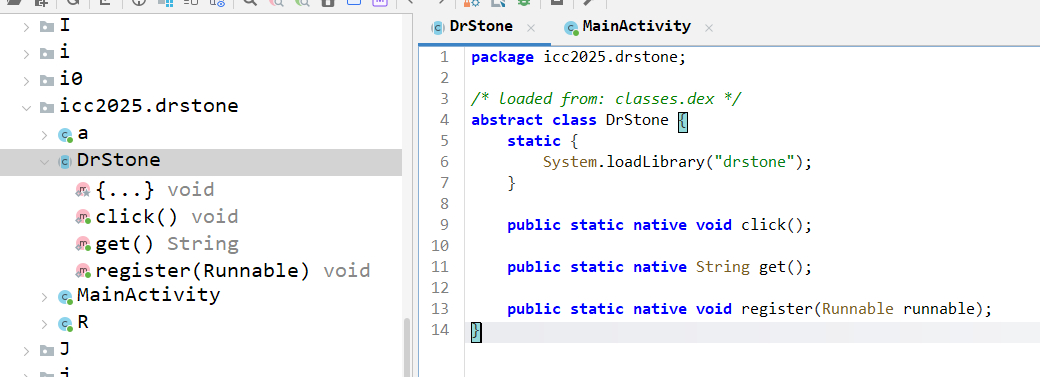
We were given an android package kit file called DrStone. The APK is quite simple and it bundles a single native library built with with three JNI exports:
Java_icc2025_drstone_DrStone_registerJava_icc2025_drstone_DrStone_clickJava_icc2025_drstone_DrStone_get
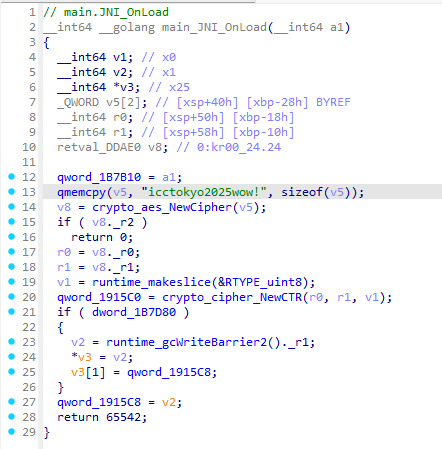
Inspecting the JNI_OnLoad function, it suggest that the flag is encrypted using a simple AES with CTR mode.
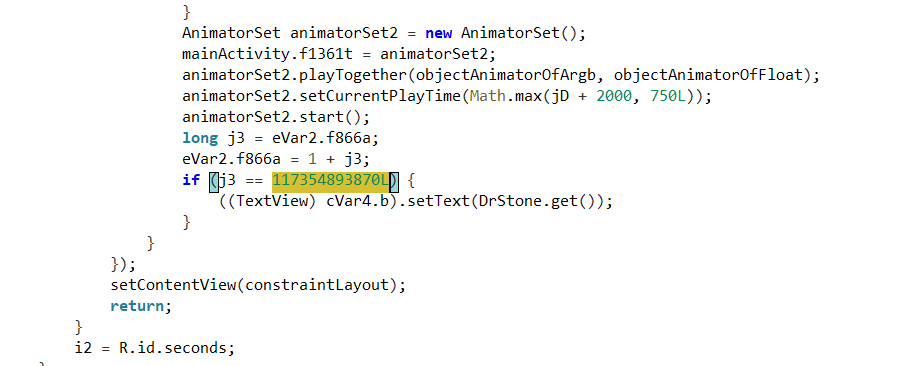
Looking back at the MainActivity, we noticed something unusual - the native flag string is only revealed after 117,354,893,870 button presses. That’s such a pain in the ass if we try to do it manually.
The three JNI exports implement a simple state machine:
register(String s)— sets initial state (device/user binding or session seed)click(int x, int y)— records taps; each call modifies internal stateget()— returns the current encrypted state
Solution
After analyzing JNI_OnLoad, we discovered the encryption scheme:
- The native library seeds a Go
cipher.Streamwith AES-CTR - Key:
icctokyo2025wow!(16 bytes) - IV: Zero IV (all zeros)
Each call to DrStone.click() performs the following:
- Encrypts a fixed 16-byte buffer from
.noptrdata(virtual address0x188f60) - Uses the next CTR block from the keystream
- Stores the XOR result in
unk_1B7D50 DrStone.get()exposes this XOR result
Because CTR mode produces a new keystream block with each click, the buffer only reveals meaningful ASCII when the keystream index matches the pre-computed ciphertext.
Instead of clicking 117 billion times, we can directly compute the flag:
Step 1: Dump the 16-byte ciphertext at .noptrdata:0x188f60:
67 91 AE 54 38 93 44 BD 0A 19 29 55 5D 02 A3 F2
Step 2: Generate the CTR keystream for counter 117354893870 b In AES-CTR mode, the counter is big-endian. We need to:
- Convert the click count to a 16-byte big-endian block
- Encrypt it using AES-128 in ECB mode with key
icctokyo2025wow!
Step 3: XOR the keystream block with the ciphertext to obtain the plaintext flag
Solver
Here’s the Python script to recover the flag:
from Crypto.Cipher import AES

KEY = b"icctokyo2025wow!"

ciphertext = bytes.fromhex("6791AE543893 44BD0A1929555D02A3F2")
counter = 117354893870
nonce = counter.to_bytes(16, byteorder='big')

cipher = AES.new(KEY, AES.MODE_ECB)
keystream = cipher.encrypt(nonce)

flag = bytes(k ^ c for k, c in zip(keystream, ciphertext))
print(flag.decode())

#ICC{kM6QX5Dni_M}
Overall, I really enjoyed the event even though it was really hard to compete with some of the prodigy hackers out there. But yeah, I hope that I can get the chance to play in ICC again in the future.